
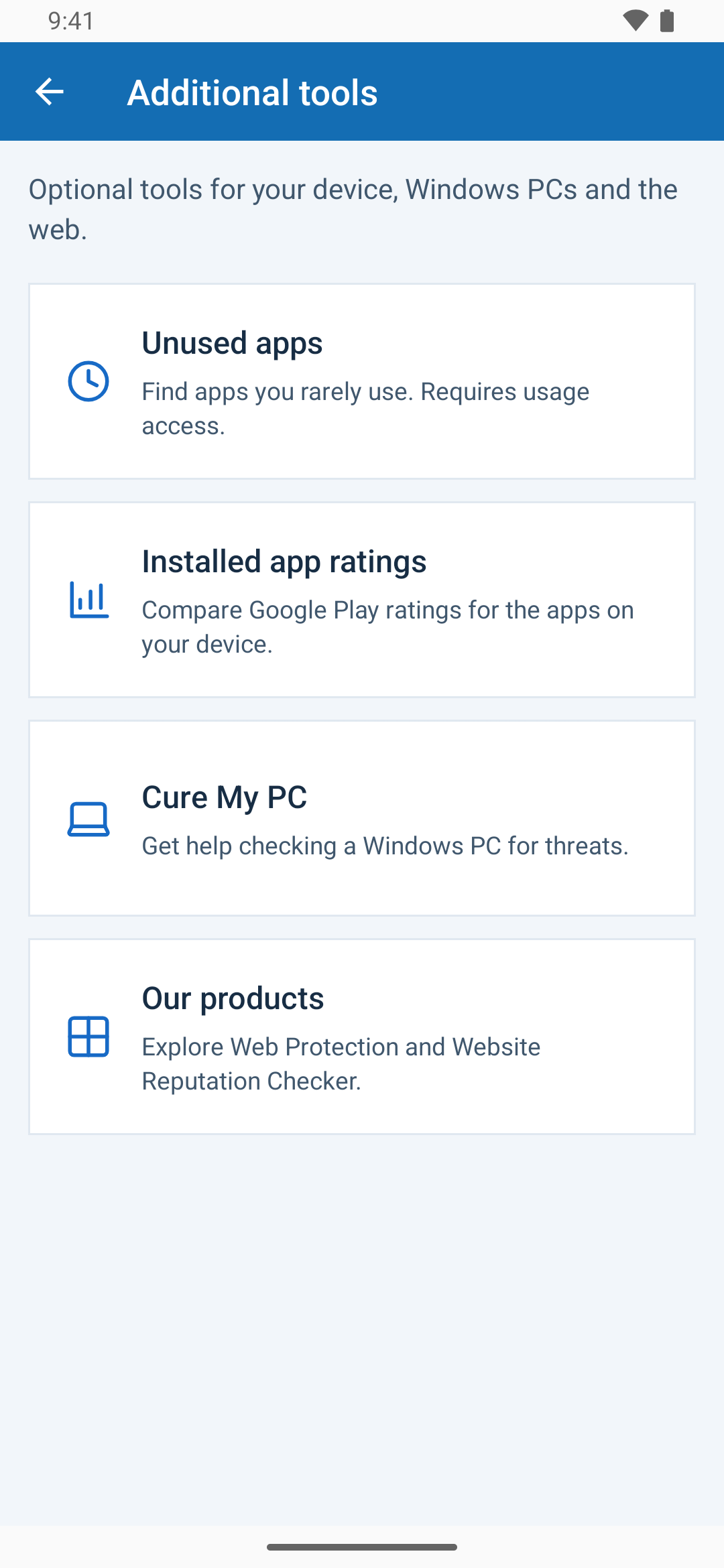
Unused apps helps you review software you rarely open so you can decide what deserves space on your phone. It is an optional free tool, separate from malware scanning.
Open Unused apps
- Open Menu → Additional tools → Unused apps.
- If prompted, open Android’s usage-access settings and allow access for Trojan Scanner.
- Return to the tool and review the available usage information.
Review before uninstalling
An infrequently opened app may still be useful. Password managers, accessibility tools, device-management apps and background utilities can work without being opened often. Review the purpose and app details before removal.
Confirm any offered uninstall through Android. Uninstalling can remove the app’s local data. If you are investigating a security warning, use the scan result and detection details rather than an app’s usage frequency.
If the list seems empty or inaccurate
- Confirm that usage access is allowed for Trojan Scanner in Android settings.
- Return to the tool after granting access so it can read the available data.
- Remember that Android’s available history and manufacturer behavior can affect what is shown.
- Do not interpret missing usage data as evidence that an app was never used.
Change your mind about usage access
You can revoke usage access later in Android settings. The Unused apps tool will lose access to that information, while ordinary malware scanning remains available.
Installed app ratings, also under Additional tools, shows available Google Play ratings. Popularity and ratings are not a security verdict. To inspect a download or app for threats, run a scan or check the file.