
Unsure about a download? Check a file lets you examine it before opening or installing it. The check is free, runs separately from the device scan, and does not install or delete the selected file.
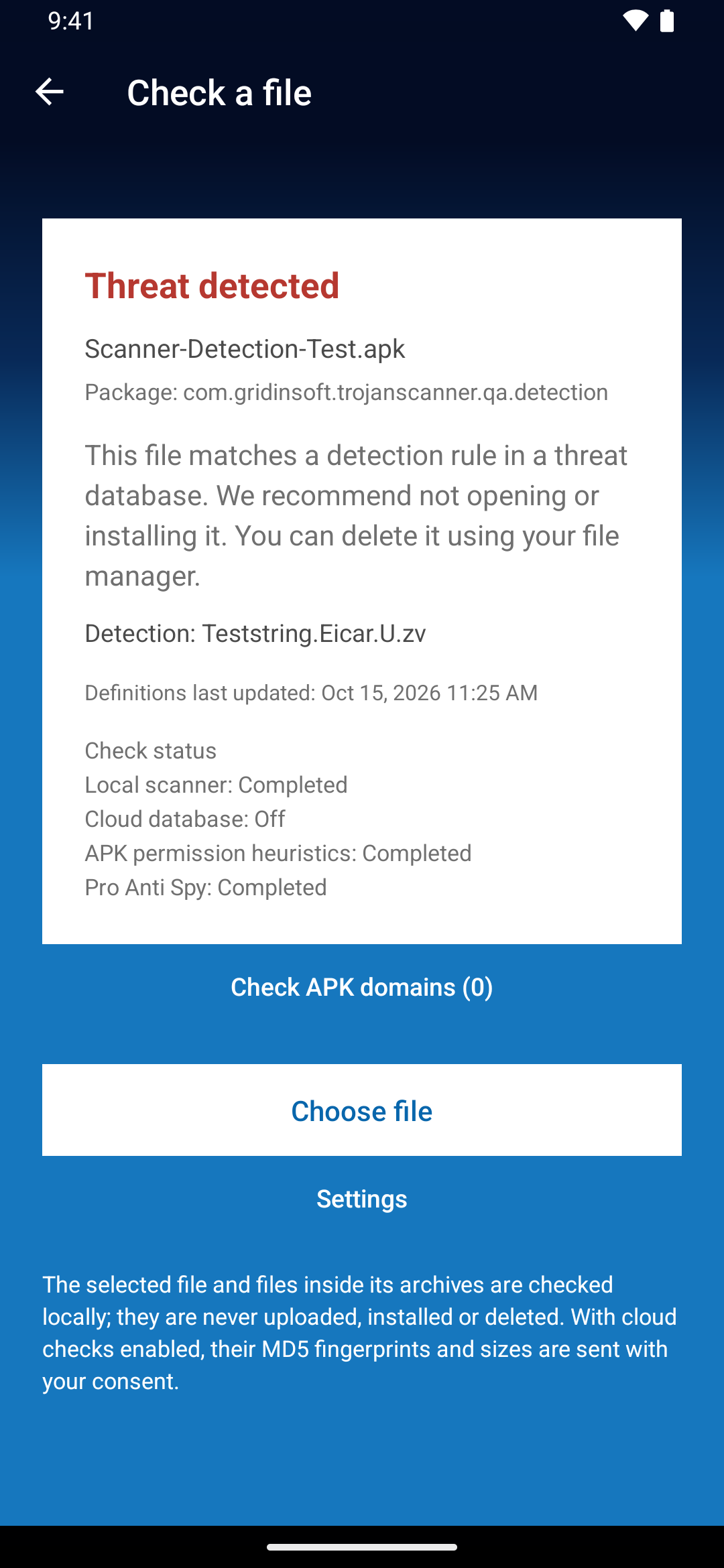
Choose the file
- Open Menu → Check a file.
- Tap Choose file and select a download in Android’s file picker. Files, APKs and APK sets such as .apks, .xapk and .zip are supported.
- Wait for the result and review Check status, any findings, the checked-file count and the definitions date.
Understand the available analysis
- Local scanner: uses the threat database on your device; APKs also receive static analysis.
- Cloud database: adds optional free fingerprint checks after Gridinsoft account sign-in and consent.
- APK permission heuristics: inspect declared capabilities in Android installers.
- Pro Anti Spy: adds surveillance-risk checks for APKs when Pro is active and Surveillance check is enabled.
Ordinary files receive hash checks; they do not receive APK permission analysis or Anti Spy. A hash check is not a full analysis of every possible behavior. See what optional cloud checks send.
Check archives and app bundles
The archive and contained files, including supported nested archives, receive hash checks. APKs receive the additional available static analysis. Review the number checked against the total; damaged, encrypted, too large or otherwise unreadable content may leave coverage incomplete.
A supplied split APK is only one part of an app. Missing parts were not checked. The result cannot establish the safety of an entire app when its required pieces were not supplied.
Read the result before you decide
- Threat detected: do not open or install the item; review its detection details.
- Potential permission or surveillance risk: review the source and intended capabilities. Static declarations do not prove that access was granted or spying occurred.
- No threats detected: no threat was found by the completed checks. This is not a guarantee of safety.
- Partially completed or not completed: review which layer was unavailable, then update definitions, check account or connection, or obtain a complete file and try again.
What happens to your file
The selected file stays where it is. Trojan Scanner does not upload its contents, install it or delete it. Optional cloud checks send fingerprints and sizes; app-domain analysis sends the domains you approve. This selected-file check does not add a normal device-scan report to Protection history. If you decide to delete the download, use your file manager.
The selected-file limit is 512 MB. To scan supported downloads in shared folders together with installed apps, use the Start device scan and allow file access.