
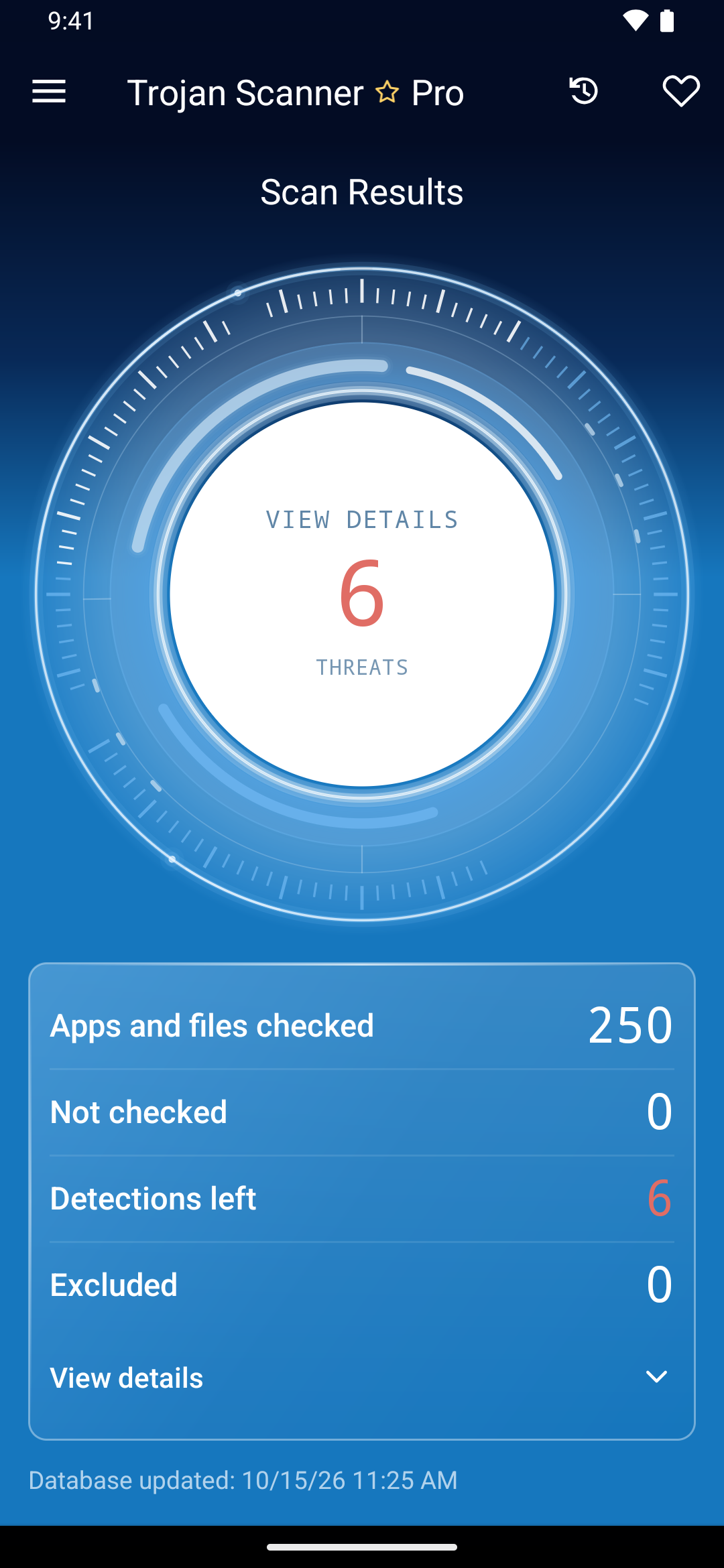
A detection needs a decision, not a rushed tap. Open the item details, check the finding type and choose an action that fits the app or file. Removal tools are available in Free as well as Pro.
Review the finding first
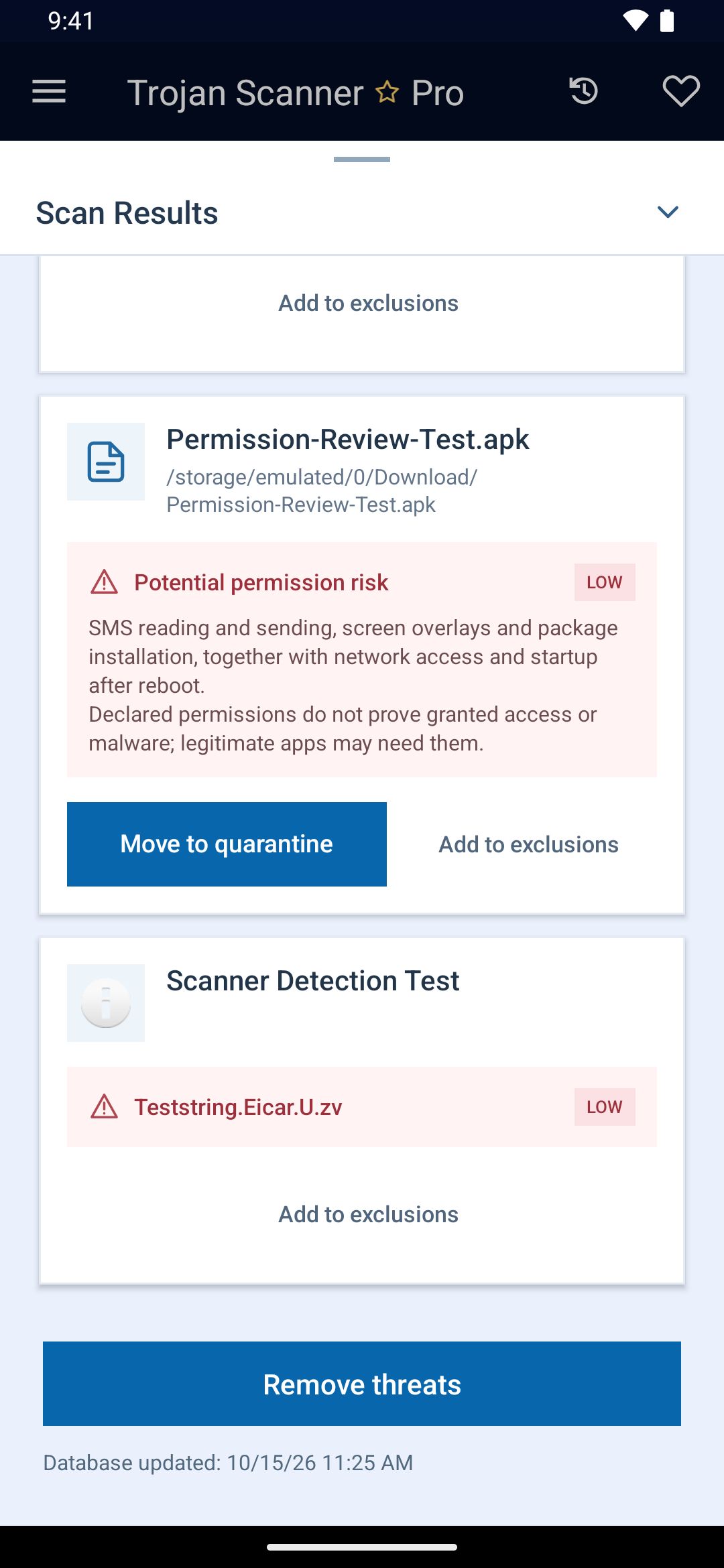
Check the app name, package or file path and the detection reason. A permission or Anti Spy warning is a potential risk, not proof that an app is malicious. Use App info or the app-settings action to inspect an installed app and its access.
Remove an installed app
- Select the finding you want to treat and use the removal action.
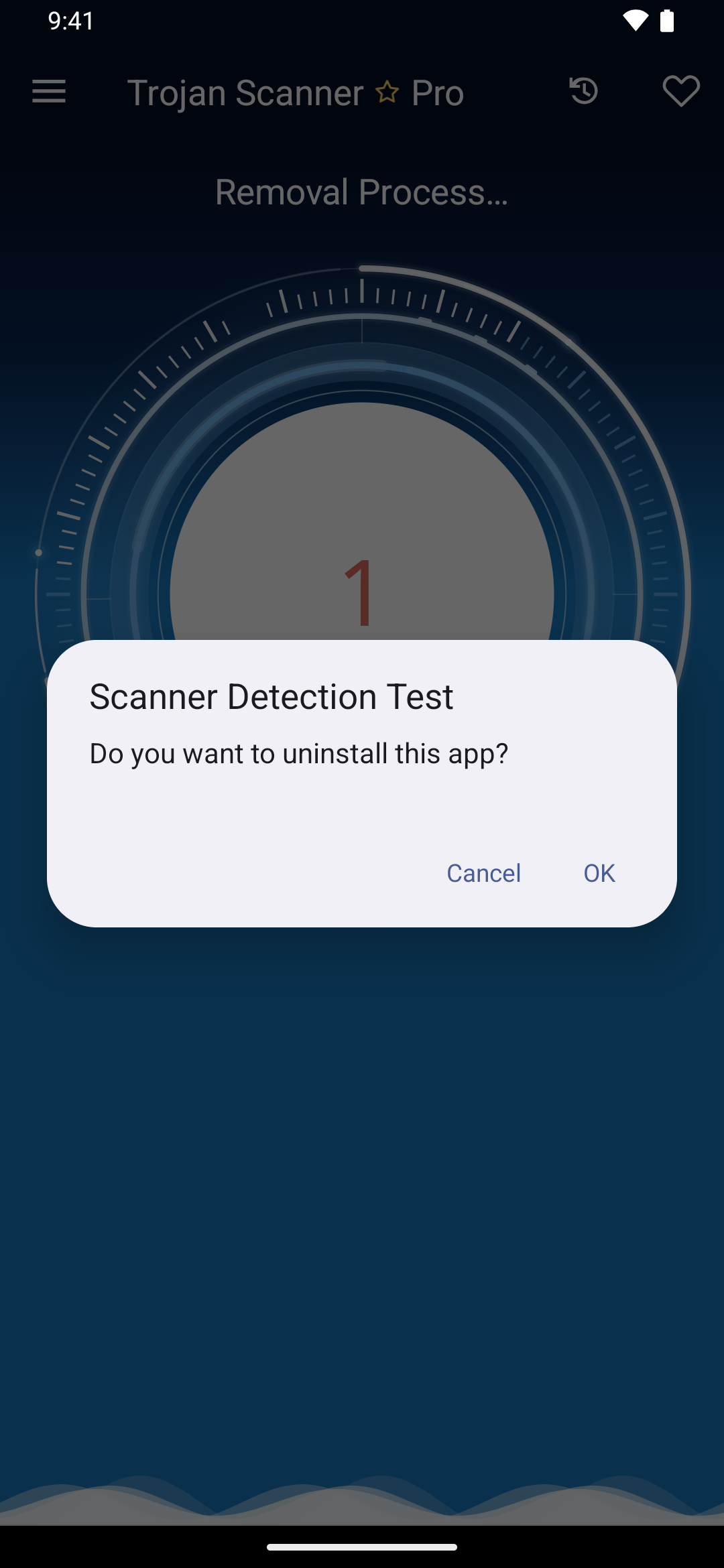
- Confirm the uninstall in Android’s system prompt. Cancel it if you want to investigate first.
- Return to Trojan Scanner and check whether removal succeeded. If it was canceled or failed, the item remains in the results.
A system app may not support ordinary uninstallation. An active device administrator may need that access revoked first. Use the offered Android settings action; do not assume a failed removal succeeded.
Delete a downloaded file
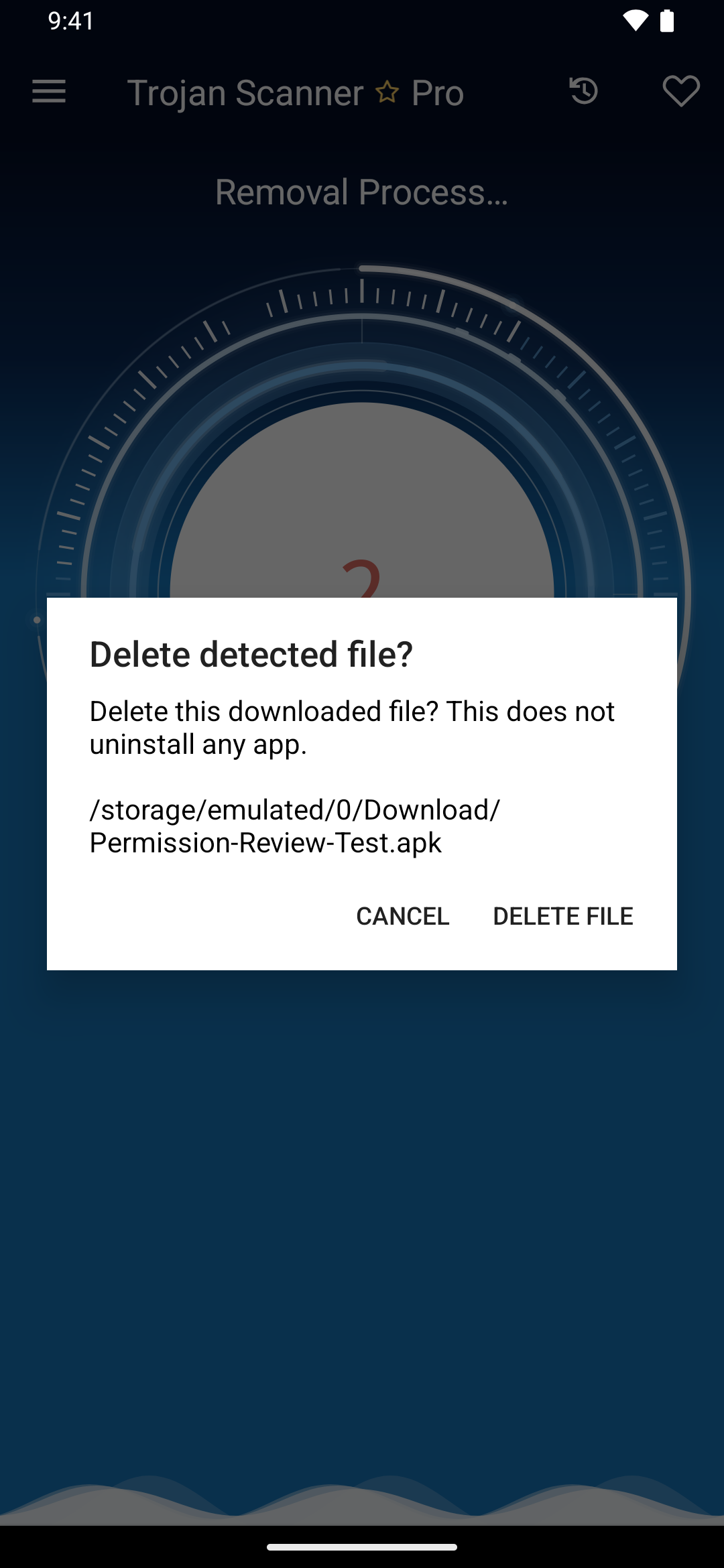
A finding from the device scan may offer deletion of the downloaded file. Confirm the displayed path before deleting. Deleting an APK installer does not uninstall an already installed app. If the finding is inside an archive, review the action’s target: removal concerns the downloaded container, not an app installed from it.
The separate Check a file screen only checks a selected file. It does not delete it; use your file manager if you decide to remove that download.
Skip once or add an exclusion
Skipping a finding leaves the item in place. Add to exclusions also skips it in future device scans. Excluding an app or file does not establish its safety.
- Open Menu → Settings → Detection management → Exclusions.
- Use the add control to choose an installed app, or review exclusions added from findings.
- To check an excluded item again, swipe its entry right and remove the exclusion, then run a new device scan.
Move a detected file to Quarantine
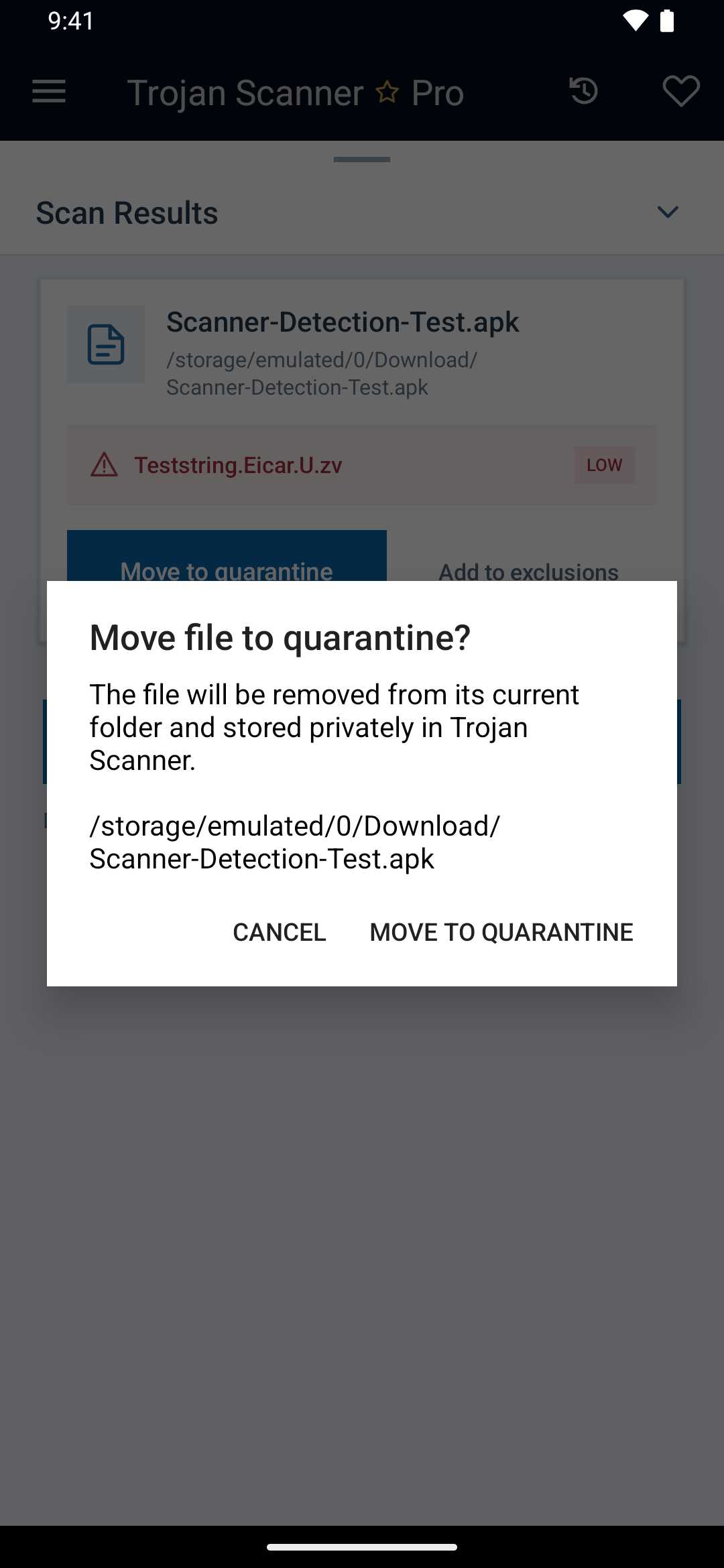
In a device-scan file finding, open its details and choose Move to quarantine, then confirm. The original is removed from its shared folder and a verified copy is stored privately by Trojan Scanner. For a finding inside an archive, this action applies to the entire downloaded archive. It does not uninstall an app.
Understand Quarantine
Open Menu → Settings → Detection management → Quarantine. Search or filter by date to review isolated-file entries and removal records. For installed apps, Quarantine keeps a record of completed removal.
Clean quarantine list after sets how long quarantine items are kept. Cleanup removes expired records and retained file copies.
Confirm the outcome
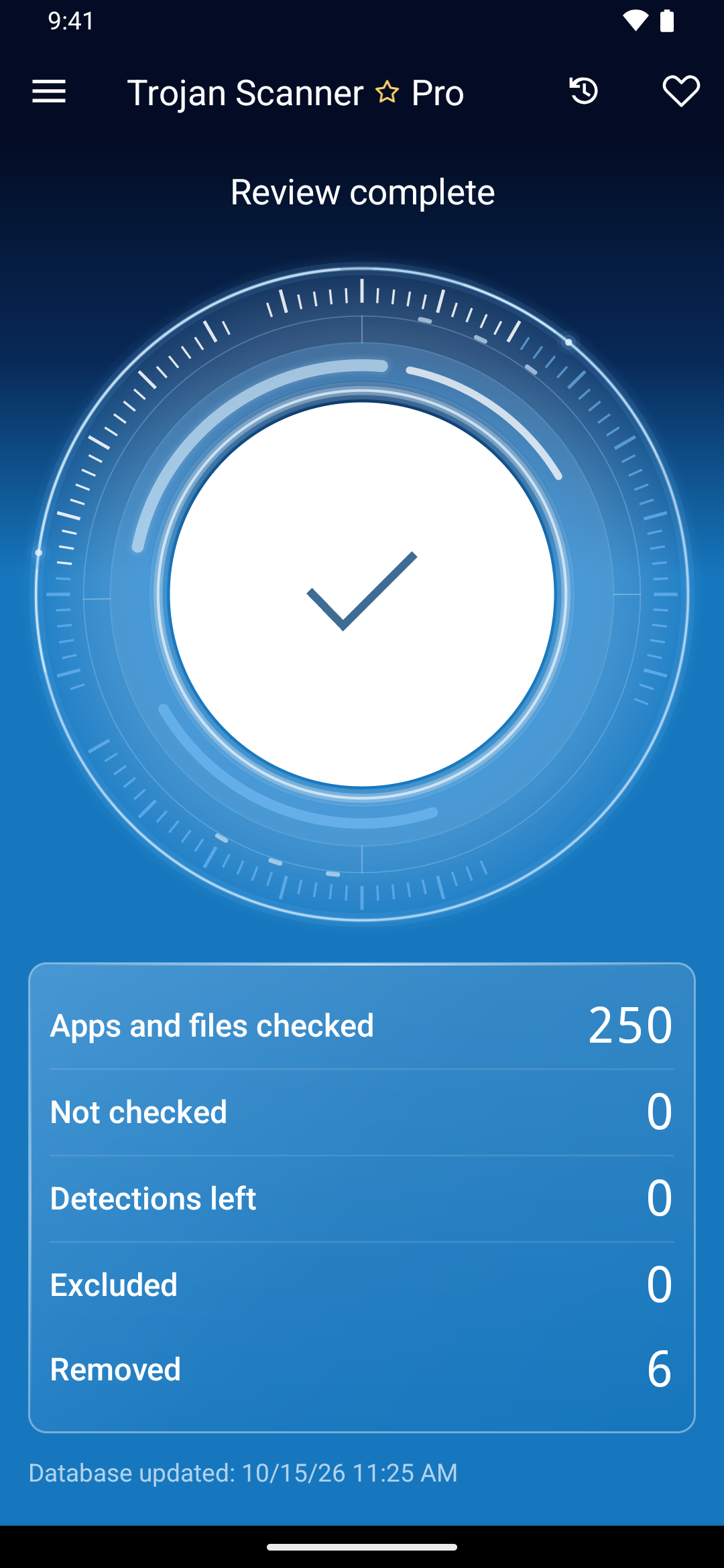
Check the remaining detections and removed count, then run a new scan when you are ready. The example below shows a completed cleanup of harmless test samples; it does not describe a malware infection on a customer device.
If a finding looks wrong
Keep the app or file unopened while reviewing it. Contact Support with the detection name and a screenshot of the relevant details. Avoid adding an exclusion simply to make a warning disappear. After treatment, run another scan to review the current state.