
Open a support request
Open the 67 Cleaner support form and choose the help topic that matches your issue. Check the Software and Operating System fields. If 67 Cleaner or macOS is missing from the list, leave that field blank and include the detail in your message. Enter an email address where you can receive replies.
Send a message from the Mac app
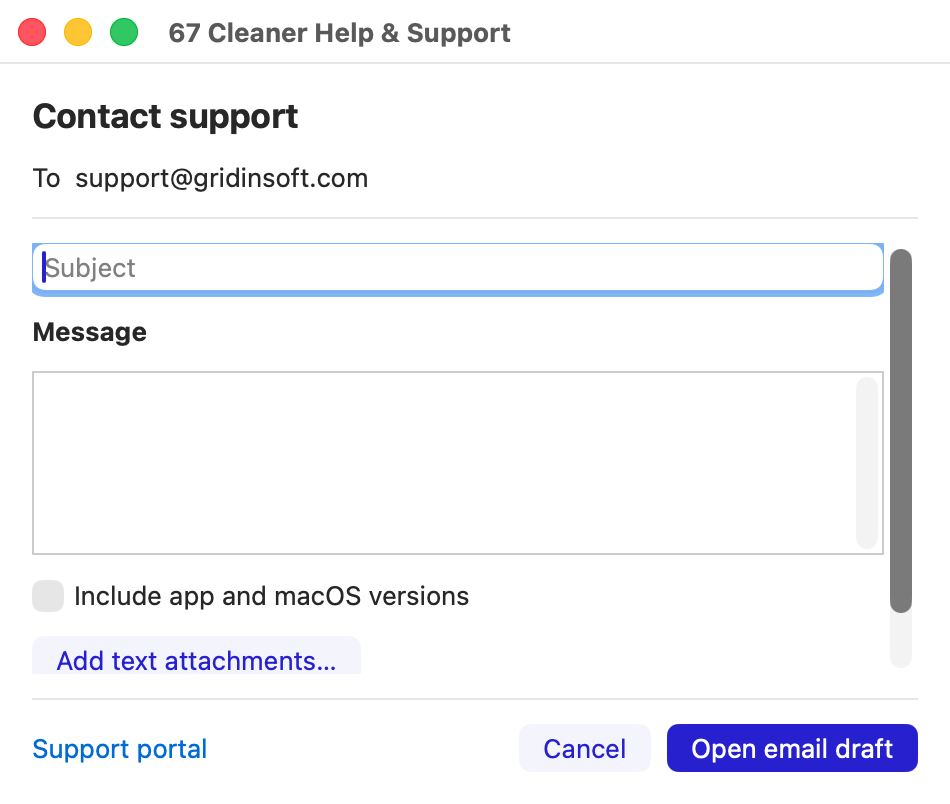
- Choose Help → 67 Cleaner Help & Support… in the menu bar.
- Write your subject and message. You can include the app build and macOS version or attach UTF-8
.txtand.logfiles. Review the text and remove private information before sharing. - Choose Review email if prompted, then Open email draft. Send the message from your mail app. You can also choose Support portal to use the web form.
Include details that can help
- Your macOS version and the version and build from 67 Cleaner → About 67 Cleaner.
- The action you took, what you expected, and the exact error or detection label. Attach a redacted screenshot in the web form if it helps explain the issue.
- For purchase or activation questions, the purchase email and order number. Keep passwords, full license keys and card details private.