
Review data by browser profile
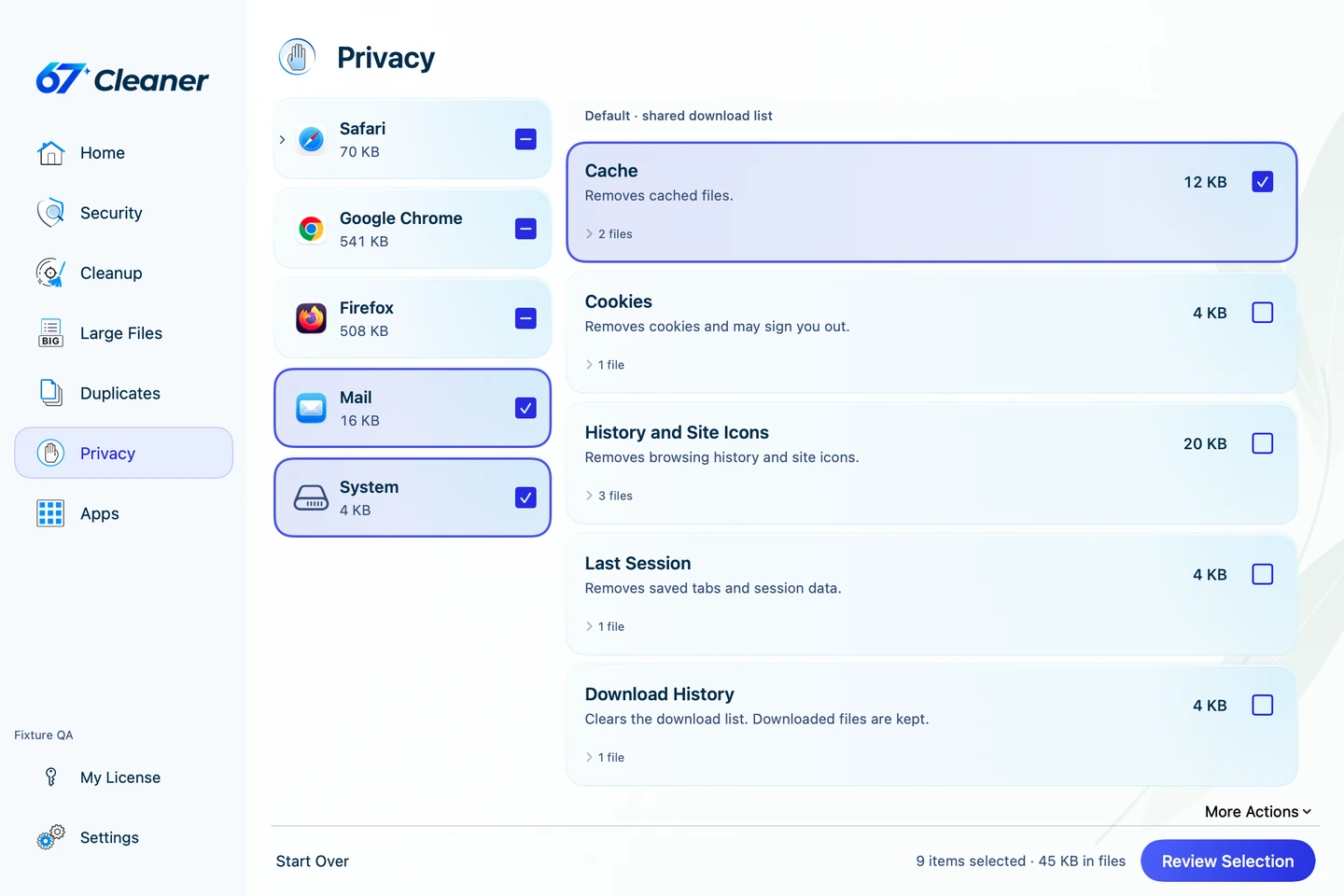
- Open Privacy and run a scan.
- Choose the browser and profile you want to review. Expand categories such as cookies, caches and browsing history so you can see the scope of the cleanup.
- With an active trial or paid Premium, select what to clear and review the plan. Clearing cookies can sign you out of websites. Save your work before closing a browser the app asks you to quit.
Review an installed application
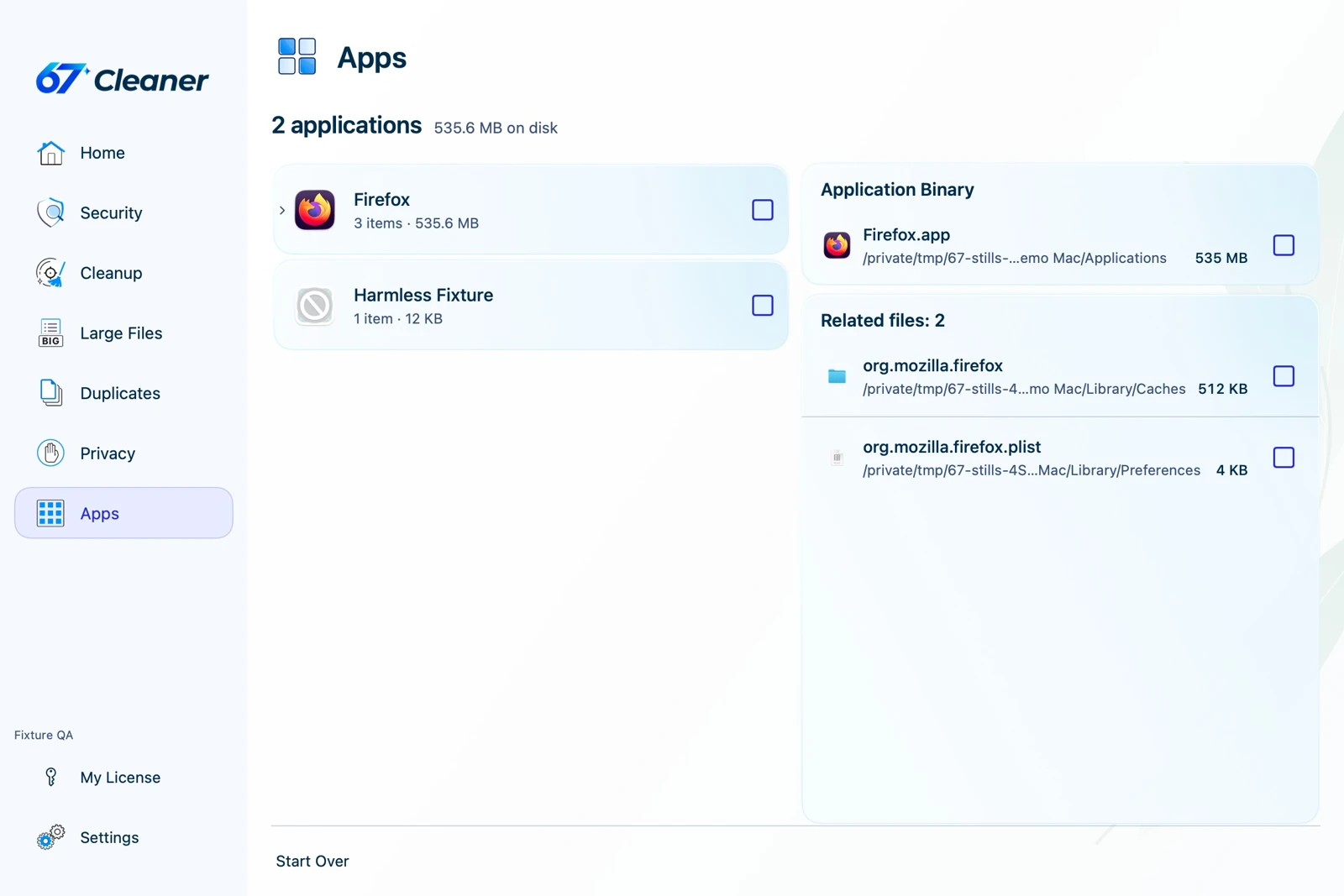
Open Apps and find the app you want to remove. Check the app and its associated files, such as preferences and caches. With an active trial or paid Premium, select the app and review the proposed removal before confirming. Keep any files you will need for a reinstall.
To remove 67 Cleaner itself, follow the update and uninstall guide.