
You can remove Trojan Killer in a few clicks. Choose the method that fits your setup.
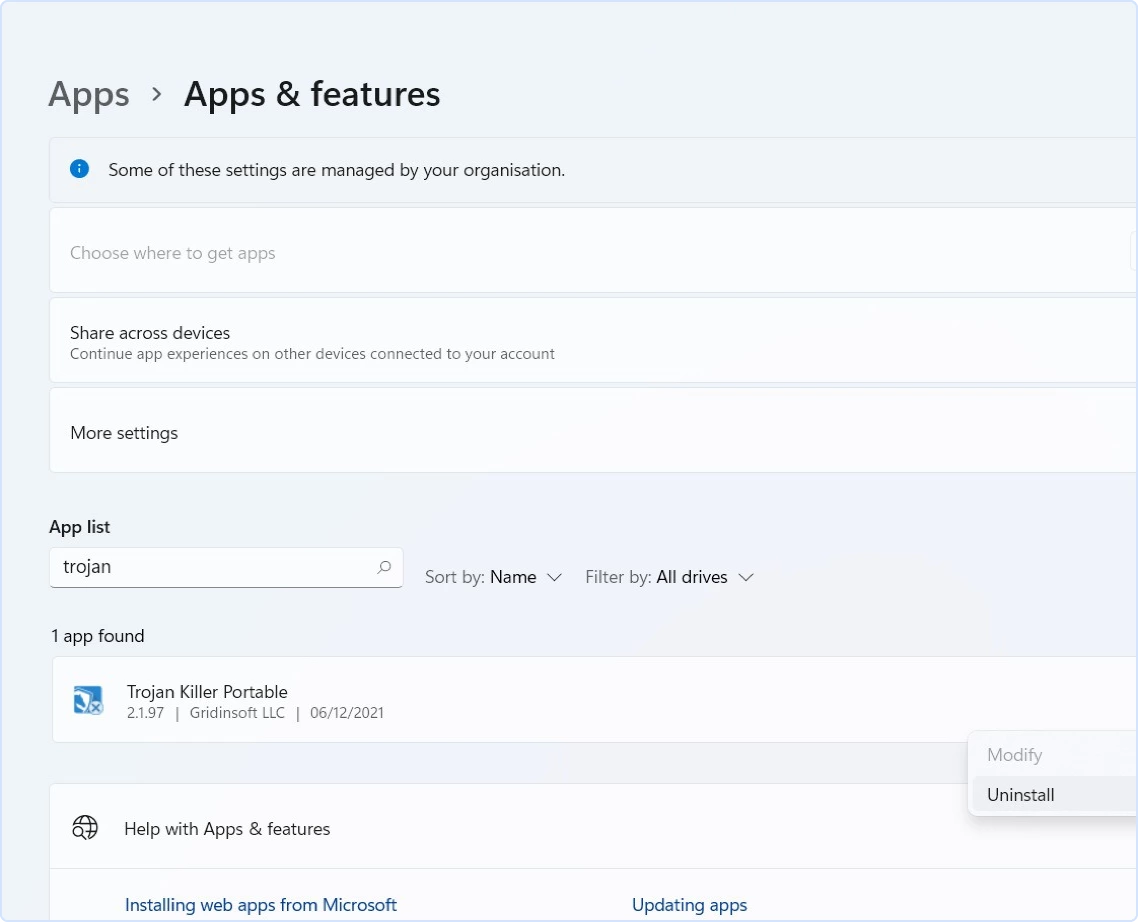
Method 1 — Windows Settings (Windows 10/11)
-
Open Settings → Apps → Installed apps (Win 11) or Apps & features (Win 10).
-
Find Trojan Killer → Uninstall → confirm.
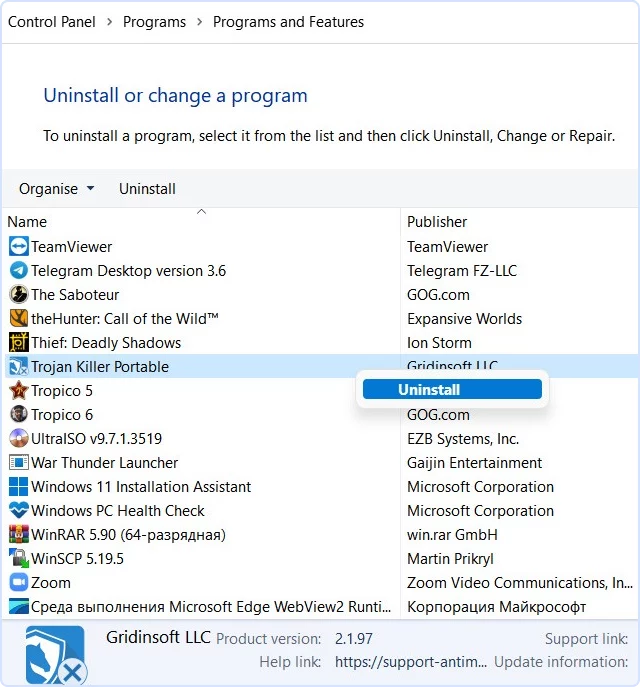
Method 2 — Control Panel (all supported Windows)
-
Open Control Panel → Programs → Programs and Features.
-
Select Trojan Killer → Uninstall/Change → confirm.
Portable Edition (no installation)
If you used the Portable Edition, there’s nothing to “uninstall.”
-
Close the app, then delete the Trojan Killer folder from your USB drive (or wherever you unpacked it).
-
If you created logs or quarantine on that drive, delete those folders too.
If uninstall is blocked
-
Close the app first: Right-click the Trojan Killer icon in the system tray → Exit.
-
Reboot and try again: Some components finish removal after a restart.
-
Temporarily pause other security tools: EDR/AV may block uninstallers. Re-enable afterward.
-
Safe Mode (last resort): Reboot to Safe Mode, then run Method 1 or 2.
-
Still stuck? Contact Support with a brief description and a screenshot of the error dialog.
After uninstalling
Restart Windows, then confirm that Trojan Killer no longer appears in Installed apps. Do not delete drivers or service entries manually; if removal failed, reinstall the current official build and run its uninstaller again. For a portable copy, review reports and quarantine before deleting its folder because those files may be stored beside the application.
Uninstalling software does not automatically cancel a paid subscription or erase an account. Handle billing separately through the order provider or Support. If you removed Trojan Killer only to correct a damaged installation, download a fresh copy and follow the Trojan Killer installation guide. Re-enable any other security product that you paused during troubleshooting.