
Download Trojan Killer only from the official Gridinsoft source. You can use a standard Windows installation or prepare the Portable Edition on a USB drive. Choose the installed version for repeated use on one PC; choose Portable when you need an on-demand cleanup tool without a conventional installation on the affected computer.
Before you download
- Use a Windows 11, 10, 8, or 7 computer. Current Windows versions are recommended because older systems no longer receive full security updates.
- Stay connected to the internet for the initial download, threat database update, and activation.
- If the target computer is heavily infected or blocks security downloads, prepare the Portable Edition on a separate clean PC.
Option A: standard installation
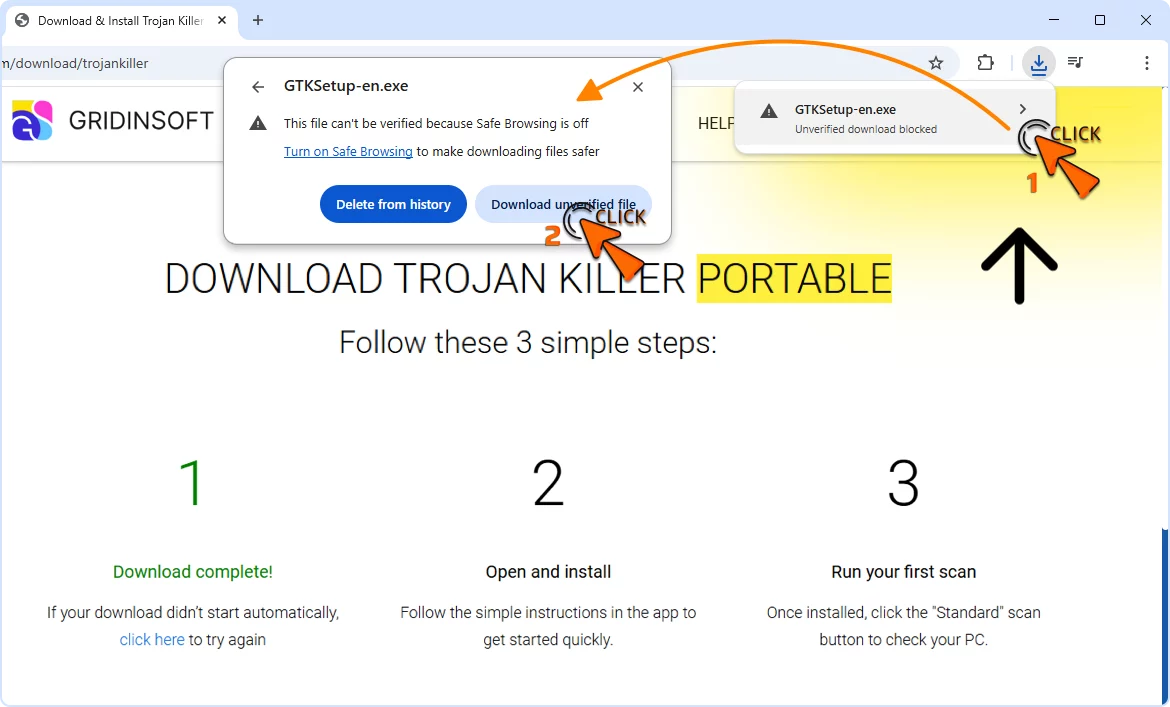
- Download the installer. Use the official Trojan Killer download.
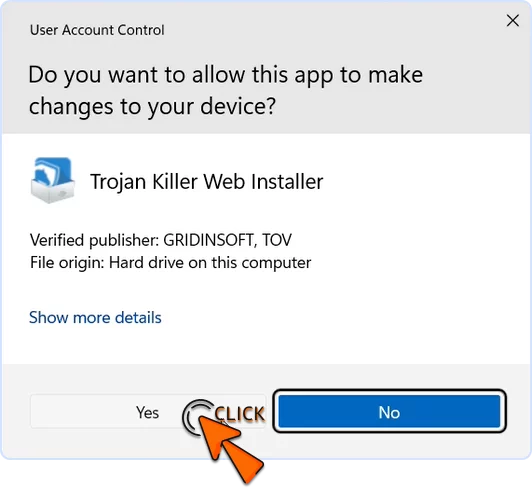
- Open the downloaded file. Double-click the installer and approve the Windows User Account Control prompt only after verifying the publisher.
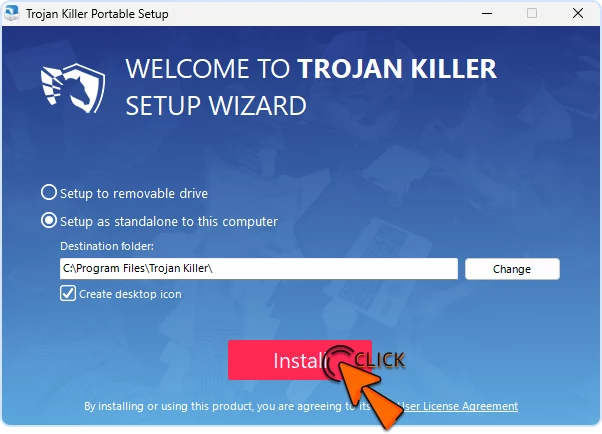
- Choose the installation options. Review the destination folder and optional desktop shortcut, then accept the license terms and select Install.
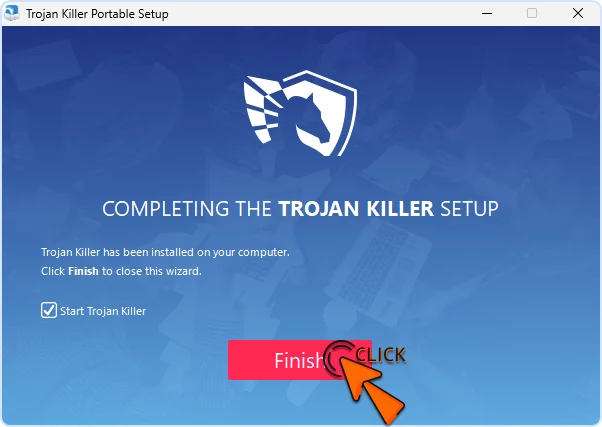
- Finish setup. Leave the option to start Trojan Killer selected if you want to open it immediately.
- Update before scanning. Let the application download the latest Threat List, then run the appropriate scan.
Option B: prepare the Portable Edition
Portable is useful when installation is unavailable, when malware interferes with normal setup, or when an authorized technician needs a USB-based cleanup tool.
- On a clean computer, download Trojan Killer from the official source.
- Prepare the complete portable folder on a trusted, writable USB drive. Do not copy only one executable out of the package.
- Safely eject the drive and connect it to the computer you need to scan.
- Launch Trojan Killer from the USB drive, update the Threat List, and run a scan.
- Review detections before applying cleanup. Restart Windows if the application requests it.
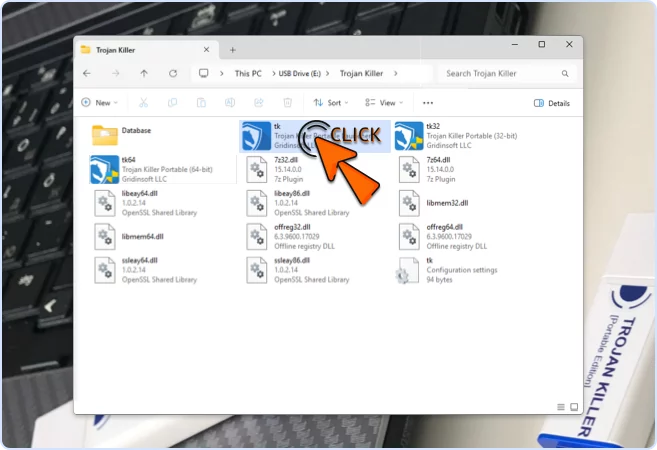
See What is different about the Portable Edition? for activation, storage, and feature considerations.
Verify the download is legitimate
- Right-click the downloaded file and select Properties.
- Open Digital Signatures.
- Confirm the signer is Gridinsoft LLC and Windows reports the signature as valid.
Do not use a “cracked,” repacked, or third-party copy. If the signature is missing or invalid, delete the file and download it again from the official link.
Activate and run the first scan
If you already have a license, follow How to activate your Trojan Killer subscription. Keep the full license key private.
After activation and update, start with a scan of the affected system. Quarantine suspicious items when you need time to verify them. A heavily infected computer may require a restart and a second scan.
If installation or startup fails
- Confirm that the downloaded file has a valid Gridinsoft digital signature.
- Right-click the verified installer and select Run as administrator.
- Check whether Windows or another security product quarantined part of the package; do not disable protection globally.
- Use the Portable Edition prepared on a clean computer if malware blocks the installed workflow.
- If the app still will not start, contact Support with the Windows version, exact error, signature status, and screenshot.