
You need a license key to start the activation process. If you don’t have one yet, you can purchase it inside the app or on our website.
Before you start
Internet is required for activation and license checks.
Use the latest version of Trojan Killer.
If you’re using the Portable Edition, plug in the USB drive you plan to use.
1. Open the activation panel
Launch Trojan Killer.
Click the Unregistered badge in the top-right corner.
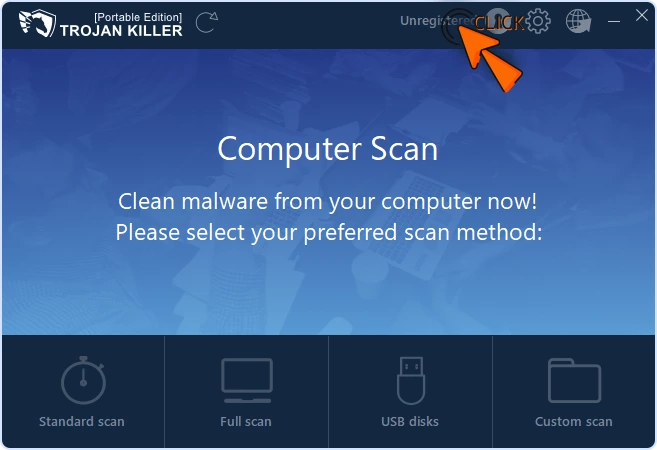
2. Buy a license (if you don’t have a key yet)
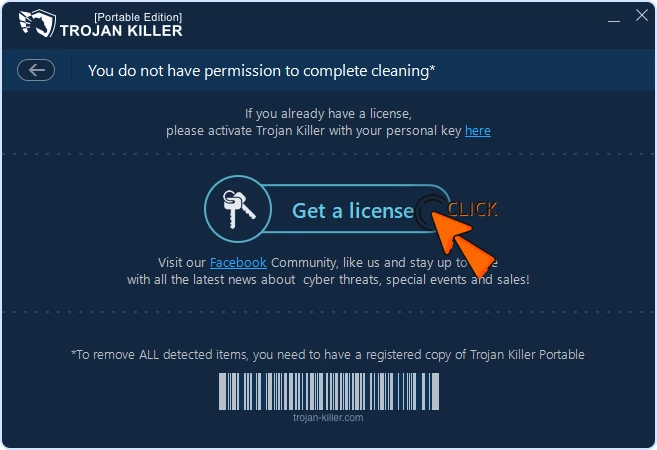
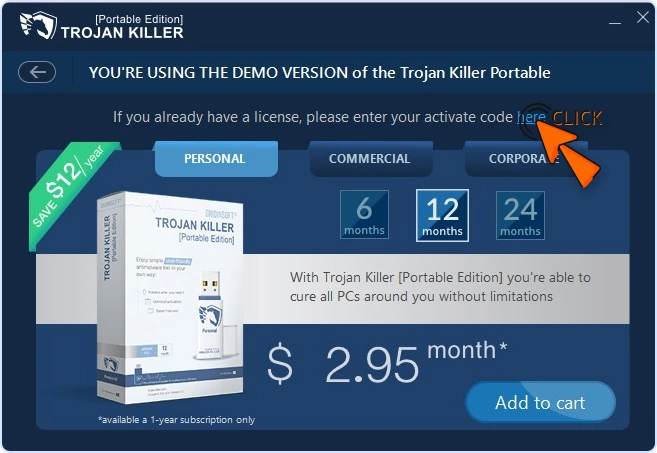
Click Get a license in the center of the window.
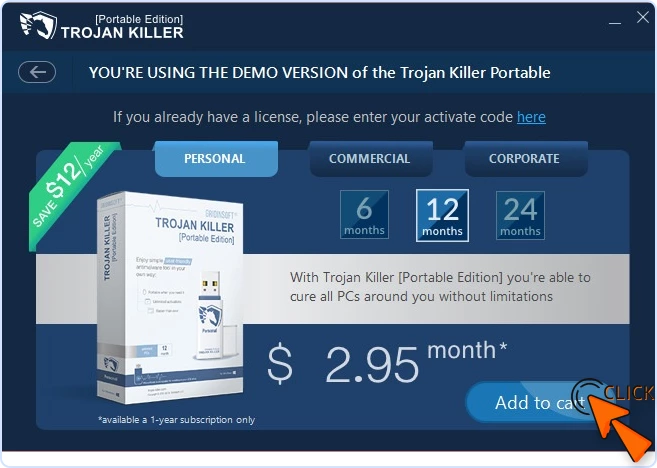
In the next screen, choose your plan and click Add to cart.
Complete the purchase. We’ll email your license key to your order email.
You can also find your key anytime in the Member Area (Customer Portal).
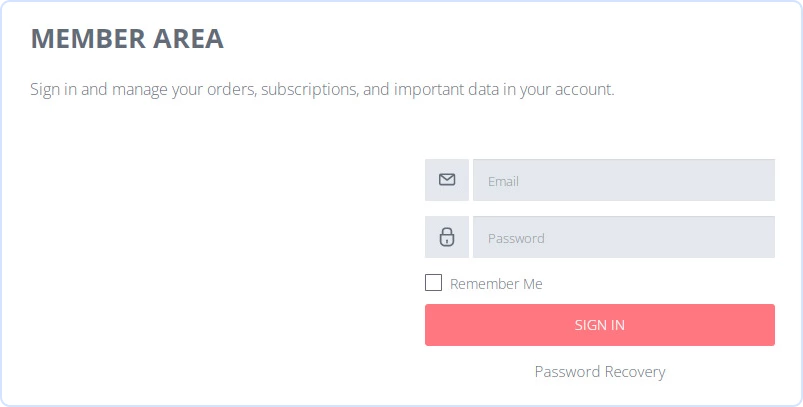
Note: If you’ve never signed in to the Member Area or forgot your password, use Password recovery to set a new one.
3. Enter your license key
In the same window, click the here link above the button.
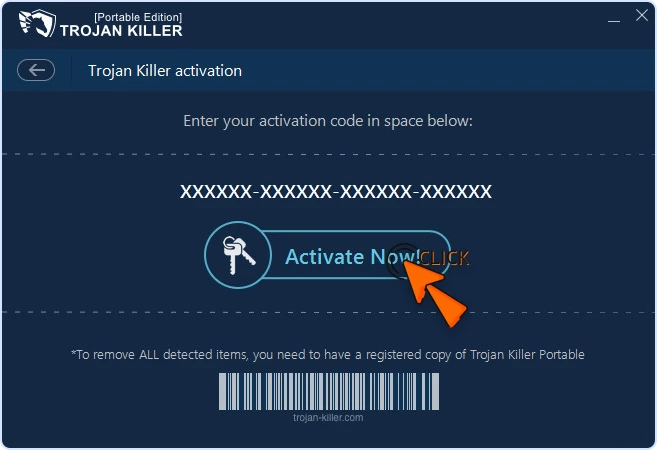
Paste your license key exactly as it appears in the email.
Click Activate Now and wait for the success message.

Portable Edition notes
Keep the USB drive connected during activation.
Activation data is saved on that USB drive. If you move or re-download the Portable folder, you may need to activate again.
Where to find your key later
Email: Search your inbox for the order confirmation.
Member Area: Sign in with your order email to view keys and details.
Quick fixes
Invalid key: Paste again without spaces; check 0/O and 1/I.
Can’t connect: Make sure you’re online; temporarily allow Trojan Killer through your firewall or proxy, then retry.
Clock out of sync: Windows → Settings → Time & language → Date & time → Set time automatically.
Still need help?
Send Support:
A short description of the issue
A screenshot of the License / Activation screen
Your order email and order ID (if available)
We’ll get you activated quickly.