
Renewing before expiration helps avoid a gap in real-time protection and updates. Existing customers can currently request a 15% renewal discount through the official Gridinsoft Anti-Malware page using a current or previous activation key.
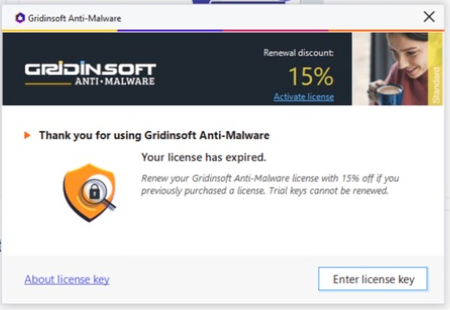
Check whether auto-renew is already active
Before placing a new order, sign in to the Gridinsoft Member Area and review the relevant license or subscription. If automatic renewal is active, confirm the next billing date, plan, device coverage, and payment method to avoid a duplicate purchase.
Renew with the existing-customer discount
- Open the official Gridinsoft Anti-Malware page.
- Scroll to Already our client?.
- Enter your current or previous Gridinsoft Anti-Malware activation code.
- Select Submit and follow the renewal instructions.
- Before paying, confirm that the 15% existing-customer discount is applied and review the license term, device coverage, renewal terms, and total.
- Complete the secure checkout and save the confirmation email.
The website is the final source for the discount and terms shown at checkout. Do not use coupon sites or unofficial renewal links.
Find the activation key
- Open the app's Info page. Do not reveal or share the complete key shown there.
- Search the original purchase email.
- Sign in to the Member Area and open the license details.
See How do I find my license key? if you cannot locate it.
After renewal
- Open Gridinsoft Anti-Malware while connected to the internet.
- Open Info and allow the app to refresh the license status.
- If the renewal issued a new key, activate it using the activation guide.
- Verify the new expiration date and confirm real-time protection is active.
If the renewal is not reflected
- Allow time for the payment processor to complete the order.
- Restart the app and check the license status again.
- Confirm that the purchase email and key belong to the same license being renewed.
- Do not purchase again while the first order is pending.
Get help with renewal
Submit a support request with the purchase email, order number, transaction date, and only the last four characters of the activation key. Do not include full card details or the complete license key.